
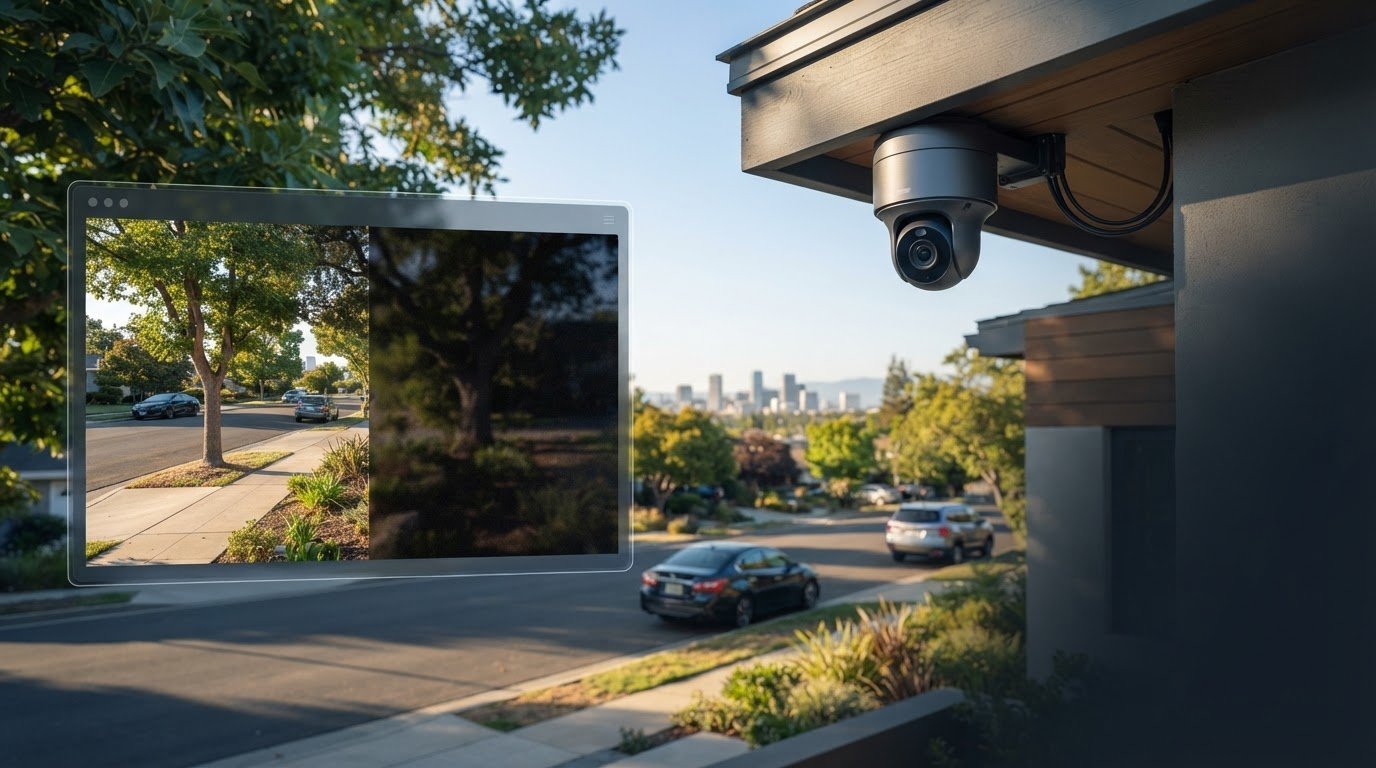
What if a 4K camera still misses the detail you need? Surveillance cameras can provide useful views of a property, but resolution alone doesn’t determine what footage captures or how quickly you’ll hear about an event. Placement, lighting, recording settings, and alert configuration all shape the result.
It’s reasonable to expect clear video, timely notifications, and convenient remote access. But a camera records what its view and settings allow. An alert isn’t the same as live monitoring, and footage can document an event without preventing it. Privacy and storage choices also affect how a system fits your home or business.
This guide separates common surveillance camera myths from practical facts, so you can judge claims about resolution, motion alerts, recording, and remote viewing with confidence. You’ll learn what system details to assess, what footage may realistically help with, and how to think about privacy and storage. Whether you’re planning a home setup in Roseville or a business installation in Sacramento, the goal is a system that fits the property and your expectations. Professional installation from a local provider such as StaySafe365 can help configure camera coverage and system components for your needs.
Key Takeaways
- Treat cameras as tools for viewing and documenting activity, not guarantees that incidents will be prevented.
- Check how a system captures, records, stores, and shares footage before assuming a camera automatically saves video.
- Compare 4K, AI detection, PoE, and wireless options by the property need each feature addresses, not by specifications alone.
- Review camera views, access permissions, recording settings, and storage practices to set clear privacy expectations.
- Choose surveillance cameras by first defining coverage goals, then confirming viewing, recording, and connectivity needs for your Greater Sacramento property.
Surveillance Cameras: What They Can and Cannot Do
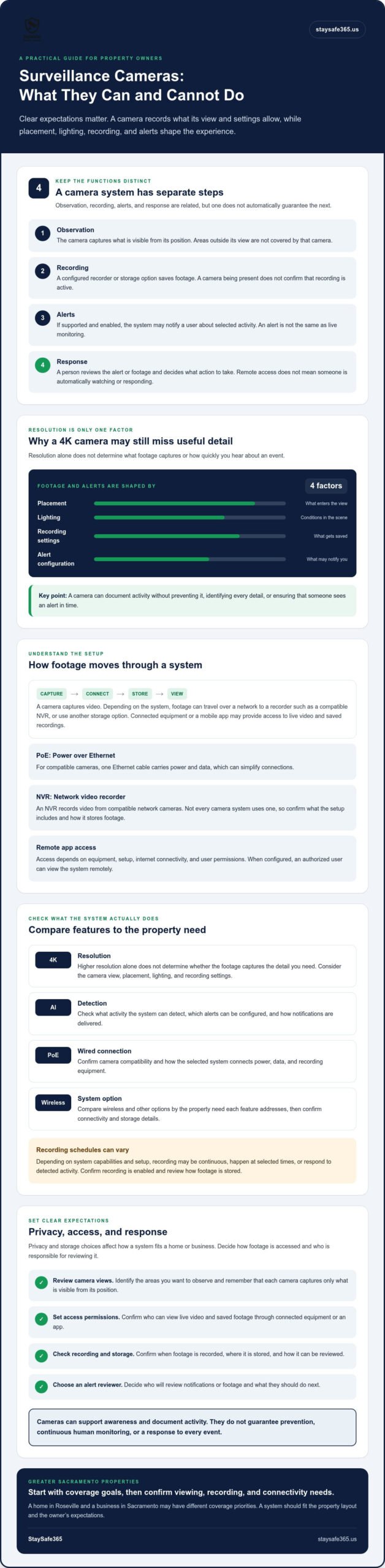
Surveillance cameras can help you keep an eye on key areas and review activity, but they can’t guarantee safety or prevent every incident. A camera system pairs one or more cameras with a way to view or record footage. In practical terms: a surveillance camera helps observe and document activity within its view; it doesn’t, by itself, ensure someone detects, responds to, or stops an event.
Closed-circuit television (CCTV) is a broad term for camera systems that transmit video to specific viewing or recording equipment. The important distinction for property owners is what each part of a setup actually does:
- Observation: The camera captures what is visible from its position.
- Recording: A configured recorder or storage option saves footage for later review. A camera’s presence alone doesn’t confirm that recording is active.
- Alerts: If the system supports and has alerts enabled, it may notify a user about selected activity.
- Response: A person must review the alert or footage and decide what action to take.
Myth: A camera prevents every security incident
A visible camera can make monitoring more apparent and support awareness, but it cannot guarantee deterrence. Recording also doesn’t mean the system recognized an event as it happened or that anyone acted on it. A camera may save useful footage while an alert goes unnoticed, or capture activity without showing enough detail to answer every question.
Think of recording, detection, and response as separate steps. Confirm which functions your system provides, and don’t assume that a camera automatically sends alerts or receives continuous human review.
Reality: Cameras are one part of a security plan
Cameras work best alongside practical measures such as appropriate lighting, clear access practices, and alarms where they suit the property. Coverage also depends on placement. A camera aimed at an entry may show who approaches, while another area of the same property remains outside its view. A Sacramento home, Roseville storefront, or larger commercial site will each have different coverage priorities.
Before installation, identify the areas you want to observe. Then decide who can view footage, who will review alerts, and what they should do next. Clear responsibilities help make camera coverage a usable part of your security plan. Professional installation can help align camera positions and system setup with the property’s layout and viewing needs.
How Surveillance Cameras Capture, Store, and Share Footage
A camera captures video, but what happens next depends on how the system is configured. Footage may travel over a network to a recorder, such as a compatible network video recorder (NVR), or use another storage option. A viewer can then access live video or saved recordings through connected equipment or a mobile app, if the system supports that setup.
Live viewing shows what a camera is capturing now, recorded footage is saved for later review, and a motion alert is a notification that activity matching configured settings was detected. These functions are related, but one doesn’t automatically guarantee the others. Before choosing surveillance cameras, confirm whether recording is enabled, how alerts work, and how footage can be accessed.
What do PoE, NVR, and app access mean?
Power over Ethernet (PoE) carries power and data over an Ethernet cable, which can simplify connections for compatible cameras. An NVR is a recorder used with compatible network cameras. Not every camera system uses an NVR, so check what the selected setup includes and how it stores video.
Remote app access also depends on the equipment, setup, internet connectivity, and user permissions. When configured, it lets an authorized user view the system remotely. It doesn’t mean a professional is watching the cameras or will automatically respond to an event. The U.S. Department of Justice’s overview of video surveillance addresses government use and legal considerations. It isn’t a complete guide to privacy requirements for every private property.
Myth: Every camera records continuously and sends instant alerts
Recording schedules and notification settings vary. Depending on a system’s capabilities and setup, it might record continuously, at selected times, or in response to detected activity. Alerts can notify users, but delivery doesn’t ensure that someone sees the message immediately or takes action.
Ask practical questions before settling on a system:
- Is recording continuous, scheduled, or triggered by activity?
- Where is footage stored, and how long is it expected to remain available?
- Which users can view live video, recordings, or alerts?
- Can notification settings be adjusted to suit the property?
For homes and businesses in Sacramento, Roseville, Folsom, Elk Grove, or Rocklin, professional installation can help configure camera connections, recording, and app access for the property. Learn about StaySafe365 camera installation as one option when assessing a setup.
Do 4K, AI, PoE, and Wireless Surveillance Cameras Meet Expectations?
Camera features matter most when they solve a real need on your property. 4K describes image resolution, AI motion detection can help sort detected activity, and connectivity affects how a camera connects to the rest of the system. None of these specifications guarantees useful footage or reliable alerts on its own. The view, placement, lighting, distance, equipment, and settings all play a part.
Myth: Higher resolution guarantees identifiable footage
Higher resolution can capture more image detail, but it can’t compensate for a camera aimed at the wrong place or positioned too far from the area you need to see. Consider a wide view of a parking area: it may show general movement, while a camera positioned to view a specific entrance may provide a more useful angle on people coming through it. Lighting and other conditions also affect what the footage shows.
Choose the view based on your goal, then consider resolution as one part of the decision. A 4K camera may suit a need for detailed video, but don’t assume it will identify every person, object, or event.
What should you know about AI motion detection and connectivity?
AI motion detection may classify or filter activity, such as distinguishing between types of movement, depending on the camera and system configuration. Available categories, settings, and performance vary. Detection can help focus attention, but it doesn’t guarantee that every alert will be relevant or that every event will trigger a notification.
PoE and wireless connections address different installation considerations. PoE carries power and data over Ethernet cabling for compatible cameras. Wireless cameras avoid a camera-to-network cable, but their suitability depends on the equipment and connection conditions at the property. Neither approach is automatically right for every home or business.
| Feature | Practical question | Keep in mind |
|---|---|---|
| 4K resolution | Do you need more image detail in a specific view? | Distance, angle, and conditions affect identification. |
| AI motion detection | Can activity filtering help focus your attention? | Detection types and alert behavior depend on configuration. |
| PoE | Can Ethernet cabling suit the camera locations? | Requires compatible cameras and a suitable cable route. |
| Wireless | Does a wireless connection fit the location and system? | Performance depends on equipment and connectivity. |
For more detail on cabling and setup, consult a guide to PoE camera installation. As you compare system features, remember that privacy considerations also depend on how and where cameras are used. The U.S. Department of Justice discusses Fourth Amendment and video surveillance in the context of government surveillance, a distinct topic from choosing equipment for a private property.
For a home or business in Sacramento, Rocklin, or Folsom, professional installation can help match camera views and connectivity choices to the property rather than choosing by specification alone.
Surveillance Camera Privacy and Monitoring: Set Clear Expectations
Thoughtful camera use starts before activation. Decide what each camera needs to see, who may access the footage, and how the system handles recordings. These choices help homeowners and property managers keep monitoring focused on its purpose while setting clear expectations for everyone affected.
Privacy rules can depend on location and circumstances. Before recording beyond your property or monitoring shared spaces, check the requirements that apply with an appropriate qualified source. Don’t assume one general guideline covers every home or business in Sacramento, Elk Grove, or elsewhere in California.
Who can view footage, and how long is it kept?
Limit access to people who need it. Give each authorized user their own account where the system allows, protect login details, and remove access when someone no longer needs it. Ask how the system stores footage, who controls that storage, and whether recordings are deleted or overwritten according to settings you can manage.
There isn’t one retention period that suits every property or purpose. Confirm how long your selected setup keeps recordings, what affects that duration, and how to find or remove footage when appropriate. For a business, agree on who reviews recordings and how staff should handle access requests or incidents.
How can you keep camera use proportionate?
Start with the area you need to monitor, then adjust the camera view to avoid capturing more than necessary. For example, a camera intended to cover a business entrance can be positioned toward the entry rather than broadly toward neighboring areas. Explain the purpose and general use of the system to household members, staff, or other affected users where appropriate.
Use this checklist before activation:
- 1. Check the view. Confirm each camera covers a relevant area and avoid unnecessary capture beyond the property.
- 2. Set access. Identify authorized viewers, secure their accounts, and review permissions periodically.
- 3. Review recording and storage. Confirm what is saved, where it is stored, and how retention is controlled.
- 4. Verify local requirements. Seek qualified guidance before recording areas beyond your property or monitoring spaces used by others.
- 5. Explain the setup. Let affected household members or staff know the cameras’ purpose and who can view footage.
A planned installation can help align camera placement and system setup with your privacy expectations. Learn about camera installation for your Greater Sacramento home or business.
Choosing Surveillance Cameras for a Greater Sacramento Property
Choose a system by starting with the property, not the camera specifications. First, identify the areas you want to cover. Next, decide whether you mainly need live viewing, saved footage, or motion notifications. Then confirm how the system will record, connect, and provide access to the people who need it. This sequence helps homeowners and businesses compare options based on practical needs.
A practical surveillance camera checklist
Before selecting equipment, write down what you want each camera to do. A front entry may call for a different view than a driveway, stockroom, or customer entrance. Think about the useful details footage should show, then review these questions:
- Coverage: Which areas matter, and what activity or details should each camera capture?
- Viewing: Do you need live viewing, recorded footage for later review, motion notifications, or a combination?
- Storage: Where will recordings be stored, and how will you confirm they remain available when needed?
- Connectivity and access: What connection does the system require, and who should be able to view it through an app or recorder?
- Installation: Where can cameras be mounted, and how can cabling be routed neatly?
These answers help clarify trade-offs. For example, a business that wants to review saved footage may need to prioritize recording and storage details, while a homeowner focused on remote viewing should confirm that the system and app are configured for that use.
When can local installation support help?
Some properties have straightforward coverage needs. Others have multiple entrances, varied viewing priorities, or installation constraints that make a tailored plan useful. A professional installer can help match camera positions and installation details to the layout. Installation can also include configuring system components so the equipment is practical to use after setup.
StaySafe365 installs security cameras for homes and businesses in Sacramento and nearby communities, including Roseville, Rocklin, Folsom, Elk Grove, Antelope, Rancho Cordova, Natomas, and West Sacramento. Its installation options include one, two, four, six, or eight cameras, with listed installation prices of $90, $150, $350, $550, and $650 respectively. These are installation prices, so confirm what equipment and setup your project requires.
For a residential or commercial project, contact StaySafe365 to discuss your camera installation needs and request a security project quote.
Choose a Camera Plan That Fits Your Property
Good security decisions start with clear expectations. Surveillance cameras can help you view and document activity, but their usefulness depends on placement, recording settings, connectivity, and who reviews alerts or footage. Features such as 4K resolution and motion detection are worth assessing in context, not as guarantees. Privacy, account access, and storage deserve attention too.
For a home or business, professional installation can help match coverage and system setup to the property’s layout and monitoring needs. StaySafe365 installs security cameras for residential and commercial properties in Sacramento, Roseville, Rocklin, Folsom, Antelope, Elk Grove, Rancho Cordova, Natomas, and West Sacramento.
If you’re considering an installation, contact StaySafe365 to discuss your surveillance camera needs. With practical expectations and a tailored plan, you can take a thoughtful step toward greater awareness and peace of mind.
Frequently Asked Questions
Is a surveillance camera enough to protect a home?
No, a camera can support awareness and provide footage, but it can’t guarantee that an incident will be prevented or that someone will respond immediately. Its usefulness depends on placement, recording and alert settings, and who reviews the information. Treat it as one part of a broader security plan. Suitable lighting, thoughtful access practices, and a clear response process can help make the overall approach more practical.
Can surveillance cameras work without Wi-Fi?
Some camera setups use wired connections and local recording, while others rely on a network connection for remote app access or certain features. Requirements depend on the equipment and configuration. Before choosing a system, ask whether it can record locally, which functions need an internet connection, and how you could view footage if that connection becomes unavailable. This helps you understand what the system can still do during a connectivity interruption.
Does a 4K surveillance camera always provide clearer evidence?
No, 4K describes image resolution, but it doesn’t guarantee that footage will show useful identifying detail. Distance, camera angle, lighting, placement, and recording settings all affect the image. Decide what you need to see first. For example, a wide view may cover a driveway, while a closer view aimed at an entrance may better show activity at that specific point. Match the camera position and field of view to your goal.
What is the difference between PoE and wireless surveillance cameras?
PoE cameras use Ethernet cabling to carry data and, in compatible setups, power. Wireless cameras reduce the need for a data cable running to the camera, but still need power and suitable connectivity for their functions. Neither option fits every property. Compare installation conditions, connection reliability, recording needs, and the areas you want to monitor. The right choice depends on the equipment and how your home or business is laid out.
Do surveillance cameras record all the time?
Not necessarily. Recording depends on the system, its settings, and its storage configuration. A setup may record continuously, follow a schedule, or save footage when it detects activity. Confirm what is recorded, where it is stored, and how long it remains available. Motion notifications are separate from recording. An alert can notify a user about activity, but it doesn’t guarantee that someone will see or review the event promptly.
Can I view surveillance cameras from my phone?
Many systems can support remote viewing through a mobile app when the equipment, network connection, and app are configured for that use. Access may also depend on account permissions and connectivity at the property. Before installation, confirm which app functions the system supports, how users receive access, and whether remote viewing needs an active internet connection. This helps you know what to expect when checking your property from away.
Do surveillance cameras raise privacy concerns?
They can, especially if people aren’t clear about what the cameras capture, who can view footage, or how recordings are stored. Aim cameras at relevant areas, limit access to authorized users, and review storage settings. Requirements may depend on location and circumstances, so verify applicable rules with a qualified source. StaySafe365 installs security cameras in Sacramento, Roseville, Rocklin, Folsom, Antelope, Elk Grove, Rancho Cordova, Natomas, and West Sacramento.
Leave a Reply