
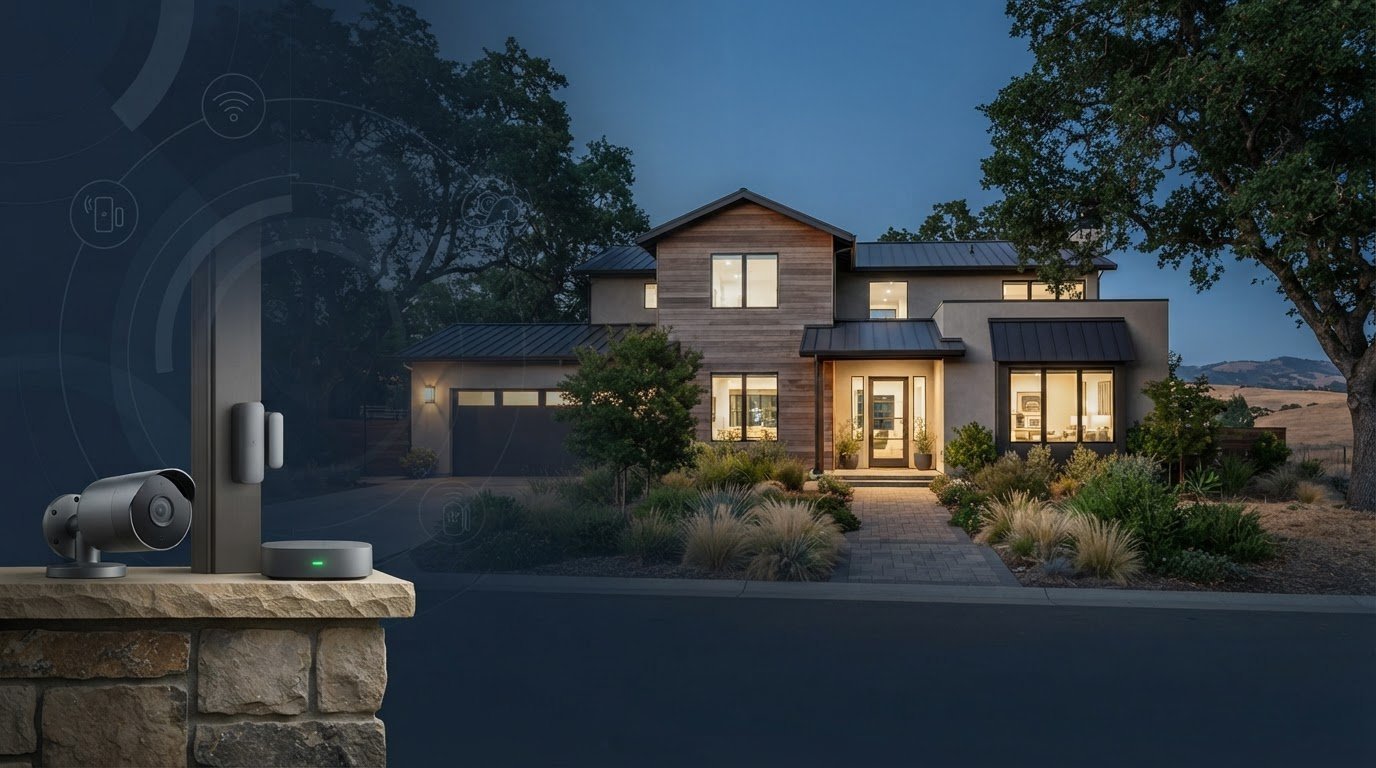
Are cameras alone enough to give your Folsom home dependable coverage? A plan for peace of mind home security Folsom homeowners can feel confident in starts with more than a camera count. It considers what you need to see, which alerts matter, and how easily you can check in.
Clear footage, a straightforward app, and a tidy installation all matter. The right setup depends on your home’s layout and routines, whether you need cameras, an alarm, or an integrated system. This guide explains how 4K PoE cameras, AI motion detection, NVR recording, and mobile app access can support practical monitoring.
Thoughtful camera placement and professional installation can help create useful coverage without unnecessary visible wiring. StaySafe365 installs security camera systems for homes and businesses in Folsom and the Greater Sacramento area, with support for English- and Russian-speaking clients. Use this guide to identify features and setup choices that can make everyday monitoring simpler.
Key Takeaways
- Match your security setup to the entrances, approach paths, and daily routines you want covered.
- Compare camera-only, alarm-focused, and integrated systems by the visibility and alerts each provides.
- For peace of mind home security Folsom homeowners can rely on, consider what cameras show and whether your household also needs an alarm.
- Use the checklist to turn household priorities into a clear installation plan for your property.
- StaySafe365’s professional installation and app configuration can help create a practical setup for Folsom homes.
What Does Peace of Mind Home Security Look Like in Folsom?
For a Folsom homeowner, peace of mind comes from knowing important areas are visible, alerts are understandable, and the system fits the household’s routines. Cameras, alarms, and connected features serve different purposes. Start by deciding what you want to see, what should trigger an alert, and how you prefer to stay informed.
Home security coverage is the planned combination of monitoring and alerting features used to oversee the areas and situations that matter to a household. It supports awareness, but no single device can guarantee prevention or a particular response. A practical approach to home security practices considers both technology and everyday choices.
What should a Folsom homeowner expect from a security setup?
Start with your property’s layout and how people move through it. You might prioritize the front entrance, a side gate, or the path from the driveway to the house. Shared spaces may matter too, especially if household members want to check activity in a common area. Aim for useful visibility, not more devices without a clear purpose.
Mobile app access can make camera views and system alerts available on your phone while you’re away. Notifications are more useful when they’re clear and relevant, rather than a stream of activity with little context. Camera placement, alert settings, and your household’s usual schedule all affect how the system works in daily life. That’s why peace of mind home security Folsom is a property-specific decision, not a standard package for every home.
How do cameras, alarms, and connected features differ?
Each component serves a different purpose:
- Cameras: Show selected areas, helping residents check what’s happening.
- Alarms: Signal activity detected by the system.
- Connected features: Bring selected security functions together so residents can manage or review them through configured technology.
An integrated setup can coordinate cameras, alarms, and smart security features around a property’s needs. A household that wants both visual awareness and alerts may benefit from combining them instead of relying on footage alone. The right balance depends on the home and its routines. Cameras show activity, alarms signal it, and connected tools can make those functions easier to manage. None guarantees prevention or a particular response.
How to Compare Home Security Options for a Folsom Property
Compare systems by what they help you do each day, not by device count or feature names alone. Cameras provide visual information, alarms provide alerts, and an integrated setup can coordinate selected functions. The City of Folsom’s Folsom crime information page offers local information. For your own coverage plan, focus on your home’s layout and routines.
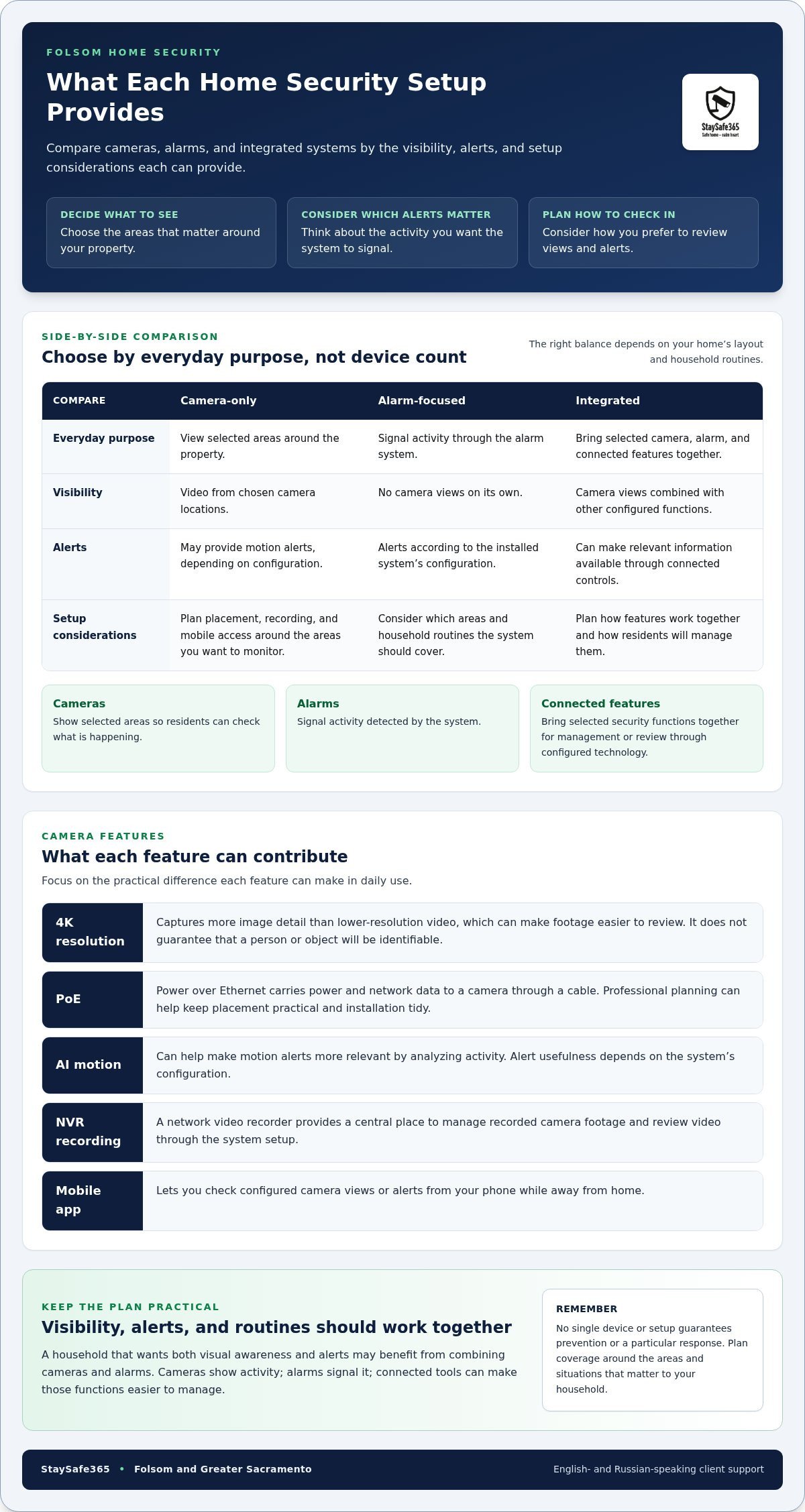
| System type | Everyday purpose | Visibility | Alerts | Setup considerations |
|---|---|---|---|---|
| Camera-only | View selected areas around the property | Video from chosen camera locations | May provide motion alerts, depending on configuration | Plan placement, recording, and mobile access around the areas you want to monitor |
| Alarm-focused | Signal activity through the alarm system | Does not provide camera views on its own | Alerts according to the installed system’s configuration | Consider which areas and household routines the system should cover |
| Integrated | Bring selected camera, alarm, and connected features together | Combines camera views with other configured functions | Can make relevant information available through connected controls | Plan how features work together and how residents will manage them |
Camera-only, alarm, or integrated security: what changes?
Camera-only coverage can suit households that mainly want views of specific parts of their property. An alarm-focused setup signals activity but doesn’t provide visual context on its own. Combining cameras and alarms may help households coordinate views and alerts. No one approach is automatically right for every Folsom home.
Which camera features matter in daily use?
Focus on the practical difference each feature can make:
- 4K resolution: Captures more image detail than lower-resolution video, which can make footage easier to review. It doesn’t guarantee that a person or object will be identifiable.
- PoE: Power over Ethernet carries power and network data to a camera through a cable. Professional planning can help keep camera placement practical and the installation tidy.
- AI motion detection: Can help make motion alerts more relevant by analyzing activity. Set expectations based on the system’s configuration, not on the assumption that every alert will be meaningful.
- NVR recording: A network video recorder provides a central place to manage recorded camera footage and review video through the system setup.
- Mobile app access: Lets you check configured camera views or alerts from your phone while away from home.
The right system depends on the coverage you need, your household’s routines, and a setup that’s easy to use. Compare these practical differences to plan peace of mind home security Folsom residents can fit to daily life. Explore professional security camera installation as a next step toward planning coverage for your property.
Will Cameras Alone Provide Peace of Mind at Home?
Cameras can help you see what’s happening in selected areas, but they don’t perform every function of a security system. When configured for remote viewing and recording, they can let you check live views or review footage later. They don’t guarantee that someone will intervene or that a particular outcome will follow.
How useful cameras are depends on more than image quality. A camera can miss activity outside its view, and alerts may be too frequent or too limited for your household. Recorded video is useful only if it’s available when needed and someone can review it. A practical plan for peace of mind home security Folsom homeowners can tailor should account for these everyday limitations.
What cameras can and cannot do for a household
Camera-only setups may suit households that mainly want visual monitoring of selected entry points or other areas. App access can make it easier to check a view while away, and recording can provide footage to review later when configured.
- Potential advantages: View selected areas remotely, review recorded footage, and choose coverage based on household priorities.
- Practical limits: Areas outside camera views remain unmonitored, alert settings affect what reaches your phone, and footage doesn’t guarantee action or a specific result.
Connected cameras also need thoughtful digital setup. The Federal Trade Commission’s guide to securing internet-connected devices offers advice for managing connected technology at home. Plan not only where cameras point, but also how residents access and manage them.
When does an alarm or integrated setup make sense?
Consider what you want to know when you’re home and away. If visual checks are your priority, cameras may address much of that need. If you also want an alerting component, an alarm can add a function cameras alone don’t provide. An integrated setup can bring selected camera and alarm features together so your household can manage them through a coordinated system.
Integrated setups can offer more functions, but more technology isn’t automatically more useful. Each feature should serve a clear purpose and fit your household’s routines.
- Potential advantages: Pair visual information with alarm alerts and manage configured features together.
- Considerations: Decide which alerts matter, how recordings will be handled, and who will use the system day to day.
The best fit is a setup residents understand and will use consistently. Start with the visibility and alerts you need, then add features only when they solve a real household need.
A Practical Home Security Checklist for Folsom Homeowners
A useful plan starts with your household, not a camera count. Work through these steps before choosing equipment so the coverage, alerts, and setup fit the way you use your home.
Map coverage and daily routines before choosing equipment
- 1. Set your priorities. Note what you want to see or be alerted about, such as activity at an entrance or along a side approach.
- 2. Map the property. Mark important doors, driveway and gate approaches, and shared areas where visibility matters. Note the direction each camera needs to face, along with possible obstructions or blind spots.
- 3. Consider household routines. Think about when people come and go, who needs app access, and who should receive alerts. Choose notification preferences the household can realistically manage.
- 4. Decide what you want to review. Consider whether you want recorded footage and how you’d prefer to access it. If your setup includes an NVR, plan where it will go and how residents will review recordings.
For broader context on system choices, see Home Security Systems in Sacramento. A property-first plan also clarifies what you want your professional surveillance installation to accomplish.
Plan professional installation and system setup
- 5. Review cable routes. Identify practical paths for camera connections and power. Professional installation can keep wiring tidy and avoid unnecessary visible wires or conduits.
- 6. Plan the controls. Decide how cameras, NVR recording, alerts, and remote app access should be configured for the people who will use them.
- 7. Make the setup easy to use. Consider whether residents can find camera views, understand notifications, and review footage without guesswork.
- 8. Confirm the final placement and setup. Include camera views, alert preferences, recording arrangements, app access, and cable routing in your installation plan.
For Folsom homeowners, this checklist turns general goals into a practical project brief. It also gives the installer a clear starting point for tailoring coverage to the property. StaySafe365 provides professional camera installation in Folsom and the Greater Sacramento area, with clean installation and system configuration shaped around residential needs. For more on the connection approach, read PoE Camera Installation.
Request a security project quote to plan camera coverage and installation for your home.
How StaySafe365 Helps Folsom Homes Feel More Secure
StaySafe365 provides professional security camera installation for homes in Folsom and across the Greater Sacramento area. A practical setup starts with your property: which entrances you want in view, how your household moves through the day, and how you prefer to check alerts when you’re away. This keeps the focus on useful coverage rather than equipment without a clear purpose.
For homeowners planning peace of mind home security Folsom, installation details matter too. Camera placement, clean cable routing, recording arrangements, and mobile app configuration all affect how straightforward a system is to use. StaySafe365 supports English- and Russian-speaking clients, making planning and setup discussions accessible in both languages.
What to expect from a tailored installation
Professional installation brings camera placement and system setup into one planned project. It can account for property entry points and viewing needs, while clean cable routing helps avoid unnecessary visible wires or conduits. High-definition cameras, including 4K options, can provide detailed video for reviewing selected areas. PoE options use a cable to carry both power and network data to a camera.
System configuration can also address how residents access cameras and review recordings. Mobile app integration supports remote monitoring, while an NVR setup provides a central way to manage recorded camera footage. The right arrangement depends on the property and what the household wants to monitor. App access and alert settings should be clear to the people using them, not another daily task to figure out.
Alarm systems and connected security technology can also be part of a tailored residential setup. Cameras provide visual information, while an alarm signals activity. How these features work together depends on household priorities. No camera or alarm can guarantee prevention or a particular response, so the goal is a well-planned system residents can understand and use.
Take the next step toward home security in Folsom
Bring your priorities to the planning conversation: the areas you want to see, who needs app access, and how you’d like alerts and recordings handled. StaySafe365 can use those details to plan a setup around your home, rather than applying the same arrangement to every property. The same professional approach can be tailored for residential and commercial security across the Greater Sacramento area, including Sacramento, Roseville, Rocklin, Folsom, Antelope, Elk Grove, Rancho Cordova, Natomas, and West Sacramento.
Ready to discuss a setup for your property? Schedule an on-site security consultation or request a security project quote for your Folsom home.
Build a Home Security Plan That Fits Your Life
Peace of mind home security Folsom homeowners can feel starts with practical choices: identify the areas you want to monitor, decide which alerts are useful, and choose camera or alarm features that suit your routines. Cameras provide visual information, while alarms serve a different alerting role. The right balance depends on your home and how you want to manage your system.
Professional installation brings those decisions together through thoughtful camera placement, clean cable routing, high-definition video, and mobile app configuration. StaySafe365 tailors security solutions for homes and businesses in Folsom and the Greater Sacramento area, with setup guided by each property’s priorities.
Take the next step with a clear plan. Schedule an on-site security consultation or request a project quote to discuss coverage for your home. A well-planned system can make everyday monitoring simpler and help you move forward with confidence.
Frequently Asked Questions
Do home security cameras provide peace of mind on their own?
Cameras can provide useful visual awareness, but they don’t cover every security need by themselves. They let you view selected areas and, when recording is configured, review footage later. Their usefulness depends on camera placement, alert settings, and whether someone checks the app or recordings. A camera doesn’t guarantee intervention or a particular outcome, so consider whether your household also wants alarm alerts or other connected features.
What is the difference between a security camera system and an alarm system?
A security camera system provides video from selected views, while an alarm system signals activity through alerts. Cameras can help you see what’s happening; an alarm can draw attention to an event without providing a visual view on its own. Some households choose both to combine visibility and alerts. The right arrangement depends on property coverage needs and household routines, not on one system being best for everyone.
Are 4K PoE security cameras a good choice for a Folsom home?
4K PoE cameras may suit a Folsom home if you want detailed video and a wired camera connection. 4K resolution captures more image detail, which can make footage easier to review, but it doesn’t guarantee identification. PoE, or Power over Ethernet, carries power and network data through a cable to the camera. Placement and cable routing still need to fit the home’s layout and the views you want.
Can I monitor my home security cameras from my phone?
Yes. Mobile app integration can let you monitor configured cameras remotely from a phone. With professional app configuration, residents can access the system’s available camera views while away from home. Before installation, consider who needs access and which alerts each person should receive. Clear settings make remote monitoring easier to use without assuming every household member needs the same notifications.
How do I choose between camera-only and integrated home security?
Choose camera-only coverage if visual monitoring is your main priority. Consider an integrated setup if you also want alarm features or connected security technology configured together. Think through the areas you want to view, the alerts you’d find useful, and how your household will manage the system. For peace of mind home security Folsom residents can tailor to daily routines, add features to meet specific needs rather than simply adding more devices.
Does professional security camera installation avoid visible wires?
Professional installation can plan camera placement and cable routes to keep the finished setup tidy and avoid unnecessary visible wires or conduits. Routing depends on the property and camera locations. A planned installation also includes system configuration, such as mobile app access and, where used, NVR recording setup. StaySafe365 installs cameras for homes and businesses in Folsom and the Greater Sacramento area.
How can I plan a home security system for a Folsom property?
Start by listing the entrances, approach paths, and shared areas you want to monitor. Then consider camera viewing directions, who needs app access, preferred alerts, and how you want to manage recordings. Plan cable routing and installation before choosing equipment. StaySafe365 provides professional installation for residential and business properties in Folsom, Sacramento, Roseville, Rocklin, Antelope, Elk Grove, Rancho Cordova, Natomas, and West Sacramento.
Ready to plan coverage for your Folsom home? Schedule an on-site security consultation or request a security project quote from StaySafe365.
Leave a Reply