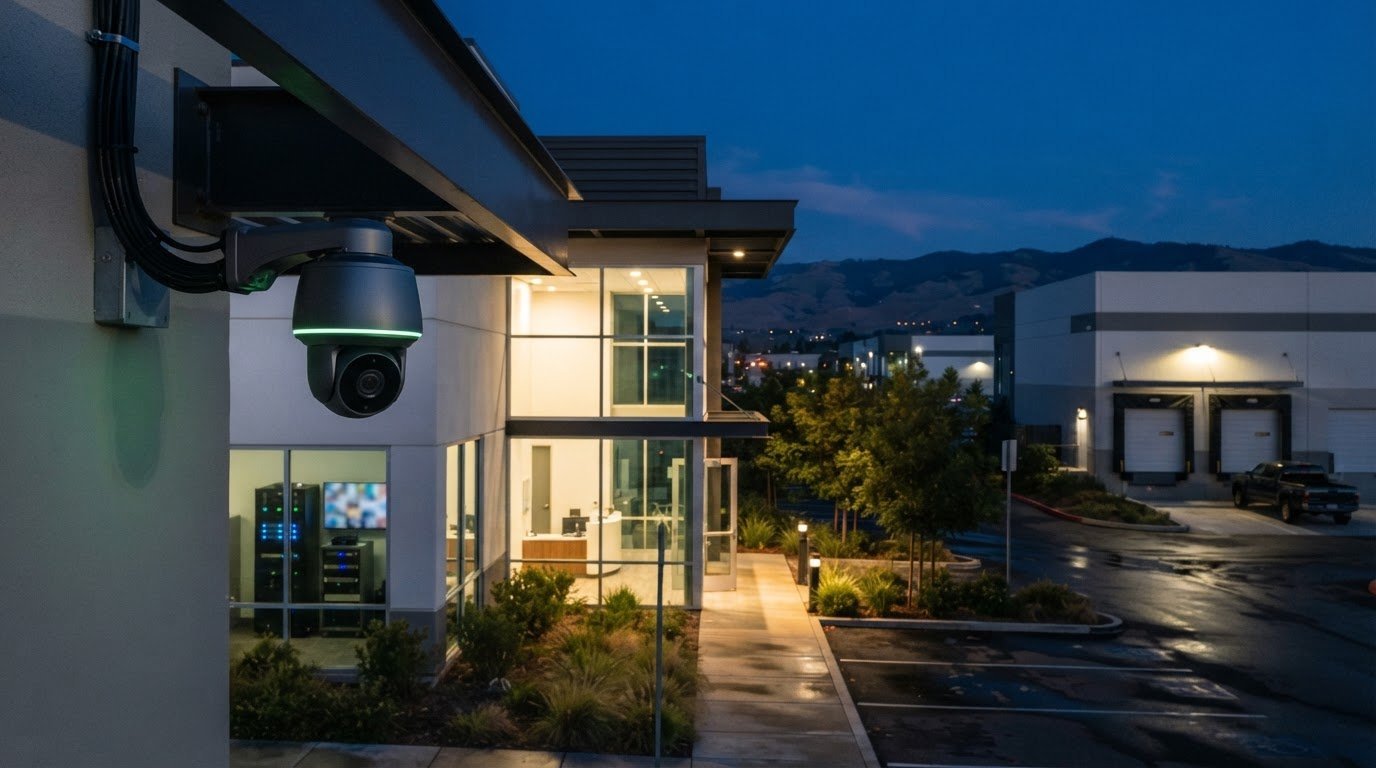
More cameras don’t automatically mean better coverage. For businesses comparing commercial security systems Rancho Cordova, the right plan starts with the property’s layout and daily operations, not a generic camera count. A loading area, customer entrance, parking lot, and interior workspace may each call for a different view.
Compare resolution, recording, motion detection, and remote access based on the views and functions your business needs. Specifications matter most when they support useful coverage and fit the way your site operates. This guide explains how to assess 4K PoE cameras, AI motion detection, an NVR setup, and remote app access, while planning a professional installation that suits the building.
You’ll also find practical considerations for camera placement, recording needs, and installation at a Rancho Cordova property. StaySafe365 serves businesses and homes across the Greater Sacramento area, including Sacramento, Roseville, Rocklin, Folsom, Antelope, Elk Grove, Rancho Cordova, Natomas, and West Sacramento. Use this guide to prepare for a site consultation and clarify what your property needs before requesting a security project quote.
Key Takeaways
- Choose commercial security systems Rancho Cordova businesses can tailor to their layout, access points, and daily operations.
- Compare 4K image resolution, AI motion detection, NVR recording, and mobile app access according to the coverage and access you need.
- Understand how PoE connects cameras and what to discuss when planning recording and remote viewing.
- Prepare for a site review by noting priority areas, operating hours, and the features you want assessed.
- Discuss camera placement and cable routing with an installer so the plan suits your commercial property.
What Should a Commercial Security System Do for a Rancho Cordova Business?
A commercial security system combines cameras, recording equipment, and related security technology to address a property’s needs and the people authorized to access its footage. The goal is practical oversight of selected areas, with equipment and placement suited to how the business operates.
For businesses comparing commercial security systems Rancho Cordova options, begin with the property and its routines. Consider when staff arrive and leave, which entrances they use, where customers or vendors move through the site, and which areas need attention outside normal operating hours. These details help determine which views to plan and whether other capabilities are relevant.
Which Rancho Cordova business areas may need camera coverage?
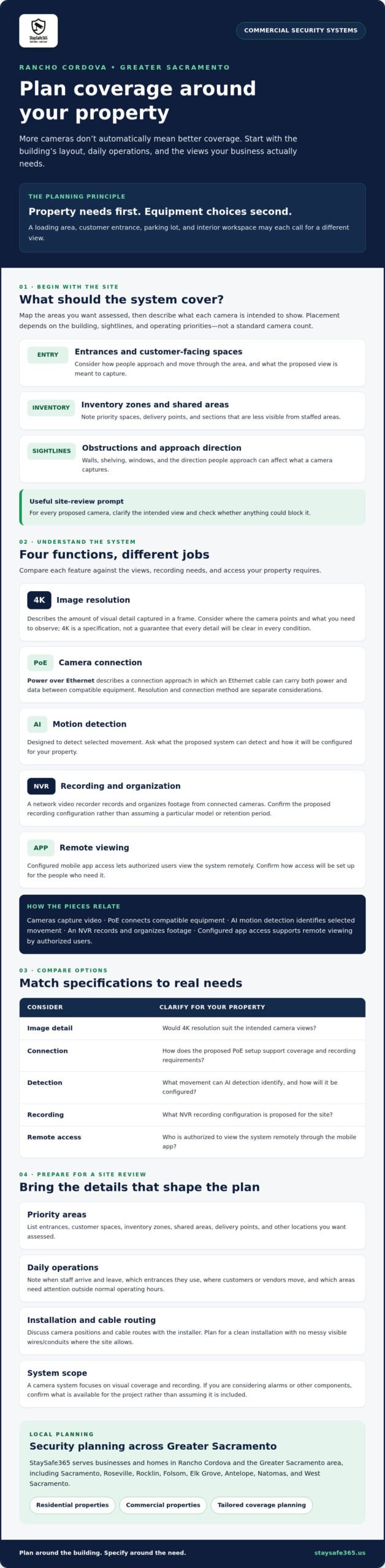
List the areas you want assessed, such as entrances, customer-facing spaces, inventory zones, and shared areas. You may also want to review delivery points or sections that are less visible from staffed areas. Treat these as prompts rather than a standard camera map. Placement depends on the building’s layout, sightlines, and operating priorities.
For example, a customer entrance may need a different view from an inventory area. Walls, shelving, windows, and the direction people approach can affect what a camera captures. During a site review, discuss what each proposed camera is intended to show and whether anything could block that view. Not every Rancho Cordova business needs the same number or arrangement of cameras.
When is a camera system different from a broader security system?
Surveillance cameras observe and record selected areas. This approach builds on Closed-circuit television (CCTV), while modern systems may use digital equipment to manage video. A camera system focuses on visual coverage and recording. It is not automatically the same as a broader setup that may also include alarms or smart security technology.
Before comparing equipment, define the outcome you need. Is the priority to review activity at an entrance, monitor a shared space, or access footage remotely? If you’re considering alarms or other components, confirm which options are available for your project rather than assuming they are included in a camera installation.
Installation matters as well. Camera positions should support the intended views, and the installation plan should suit the building and its daily use. StaySafe365 provides professional security camera installation for businesses and homes in Rancho Cordova and the Greater Sacramento area. Ask how cable routes and camera positions will be planned, including how to avoid messy visible wires or conduits where the site allows.
How 4K PoE Cameras, AI Detection, and NVR Recording Work Together
These features serve different purposes. Camera resolution describes image detail, PoE describes how a camera connects, AI motion detection is designed to identify selected movement, and an NVR handles video recording. Together, they can support a camera system planned around a business’s coverage and recording needs. Check each function against the property and the specific equipment proposed.
What does 4K PoE mean for a business camera system?
4K describes a camera’s image resolution, or the amount of visual detail captured in a frame. It is a specification to compare, not a promise that every scene or detail will be clear in every condition. Consider where each camera will point and what you need to observe before deciding whether 4K suits the site.
PoE means Power over Ethernet. It describes a connection approach in which an Ethernet cable can carry both power and data between compatible equipment. Resolution and connection method are separate considerations. Ask how the proposed setup supports your coverage plan and recording requirements.
How do AI motion detection and an NVR fit into the setup?
AI motion detection is designed to detect selected movement. Its precise behavior depends on the system and its configuration, so ask what it can detect and how it will be set up for your property. An NVR, or network video recorder, records and organizes footage from connected cameras. Confirm the proposed recording configuration rather than assuming a particular model or retention period.
The components have distinct jobs: cameras capture video, an NVR records and organizes footage, and configured mobile app access lets authorized users view the system remotely. Before choosing commercial security systems Rancho Cordova businesses may consider, clarify who needs app access and what recording setup supports your needs.
Keep the wider planning picture in view, too. The Small Business Administration’s guidance on Strengthen your cybersecurity addresses digital security and emergency preparation. Camera planning is a separate physical security consideration. During a site review, ask how camera placement, recording, app configuration, and cable routing can fit your operations.
For a property-specific discussion, explore professional security camera installation with StaySafe365 and confirm which features and configuration are appropriate for your project.
How to Compare Commercial Security System Options in Rancho Cordova
Use a comparison checklist to see how each option addresses your site’s needs. It is a starting point, not a substitute for a property review. The right system depends on the property layout and the business’s monitoring needs. Compare the capabilities below, then ask how the proposed setup would work at your location.
Which features should a Rancho Cordova business compare first?
Assess each feature separately instead of treating them as one package. Ask what each camera view is intended to cover, how footage will be recorded, and who can access the system through an app. Confirm that the proposed equipment and configuration support the functions you need. A site consultation can help assess compatibility and placement for your property.
| Compare | Questions to ask | Why it matters |
|---|---|---|
| Coverage | Which areas will each camera view include? | Entrances, customer areas, office spaces, and shared property areas may have different priorities. |
| Image resolution | Is 4K resolution appropriate for the views being planned? | Resolution describes image detail. Consider it alongside camera position and the area to be viewed. |
| Detection | What movement can AI motion detection identify in this system? | Confirm the feature’s specific behavior and configuration rather than assuming all systems work alike. |
| Recording | How will the NVR setup record and organize camera footage? | Discuss recording needs and configuration for the proposed equipment. |
| App access | How will remote app access be configured, and who needs it? | Access should make sense for the people responsible for reviewing the system. |
| Installation | How will camera placement and wiring suit the building? | Discuss a professional installation plan and suitable cable routes for the property. |
How should the system fit different commercial properties?
A customer-facing shop might prioritize views of entrances and selected customer areas. An office may want to assess entry points and shared spaces. A property manager overseeing a commercial site may need to consider several areas and different operating schedules. These are planning examples, not fixed rules. Let the layout, sightlines, access points, and work routines guide the camera plan.
For organizations working with formal physical security controls, the NIST physical protection guidelines offer a reference for assessing physical access and monitoring needs. They are not a substitute for determining which equipment fits a particular business.
Businesses in Rancho Cordova and nearby communities, including Sacramento, Roseville, Rocklin, Folsom, Antelope, Elk Grove, Natomas, and West Sacramento, can use this checklist to prepare for an on-site review. Share the areas you want assessed, your operating routines, and who needs remote access. StaySafe365 provides professional camera installation and can discuss a setup suited to the property.
What to Prepare Before Commercial Camera Installation in Rancho Cordova
A clear plan helps turn an installation request into a useful site review. Before seeking a quote for commercial security systems Rancho Cordova businesses can tailor to their operations, gather details about the property, the areas you want assessed, and how you expect to use the system.
What should a business identify before requesting a quote?
Use this sequence to prepare for an on-site review:
- Identify priorities. Note the activities or concerns you want the camera system to address, such as monitoring an entrance, customer-facing area, or inventory space.
- Map relevant areas. Mark entrances, access points, shared spaces, and other locations you’d like assessed. Include sightline concerns, such as shelving or walls that may affect camera views.
- List desired features. Record whether you want to discuss 4K video, AI motion detection, NVR recording, or mobile app access. These features serve different functions, so note how you expect each to support daily operations.
- Request a site review. Share the map, operating hours, and questions about camera placement, recording configuration, authorized app users, and system operation.
Specific information is more useful than a general request for “more coverage.” For example, note whether an entrance is used by staff, customers, or delivery drivers, and when the area is active. The installer can use these details to assess practical camera positions and discuss which equipment and configuration fit the property.
What does a clean professional installation involve?
A professional installation starts with assessing the building, proposed camera positions, and suitable cable routes. The review should account for the property’s layout and operations, as well as the recording and app access needs you identified. Ask how the installation plan will keep the finished setup neat and avoid messy visible wires or conduits where possible. The approach depends on the site, so discuss building-specific concerns during the review.
Before the visit, prepare questions such as:
- Which areas will the planned camera views cover?
- How will recording and remote app access be configured?
- What should staff know about using the system?
- How will the installation account for the building and its daily use?
StaySafe365 provides professional security camera installation for businesses and homes in Rancho Cordova and the Greater Sacramento area. Request a security project quote and discuss an on-site review of your camera coverage and installation needs.
Plan a Tailored Commercial Security System with StaySafe365
A practical plan connects four decisions: which areas need coverage, which features support those priorities, how footage will be recorded and accessed, and how installation can fit the building. This gives you a basis for comparing options without assuming every site needs the same camera layout or configuration.
StaySafe365 provides professional security camera installation for businesses and homes. An on-site discussion can help align camera coverage and installation planning with your property, whether you’re considering commercial or residential security. Review features such as 4K cameras, AI motion detection, NVR recording, and remote app access for their relevance, then confirm what is appropriate for your project.
What can an on-site commercial security consultation clarify?
A site review gives you an opportunity to discuss how the building’s layout, entrances, sightlines, and operating routines shape camera placement. Bring a list of priority areas and explain who needs remote access to footage. You can also ask how recording will be configured and whether features such as 4K resolution, AI motion detection, an NVR setup, or app access fit the project.
Confirm the details rather than assuming every feature or component is included. Ask which equipment is available for your project, how the selected cameras will cover the areas you identified, and how cable routes will be planned to suit the building.
How can a Rancho Cordova business take the next step?
Before contacting an installer, gather a simple site sketch or list of areas to assess. Note access points, business hours, operating routines, and questions about recording, app users, or camera views. For additional planning guidance, read the commercial security camera installation guide and the PoE camera installation guide.
StaySafe365 serves Rancho Cordova and Greater Sacramento communities, including Sacramento, Roseville, Rocklin, Folsom, Antelope, Elk Grove, Natomas, and West Sacramento. Share your priorities to discuss a camera plan suited to your property. Schedule an on-site consultation or request a security project quote.
Build a Security Plan That Fits Your Property
Choosing commercial security systems Rancho Cordova businesses can use effectively starts with the site. Identify priority areas, compare features such as 4K resolution and remote app access, then confirm camera placement, recording needs, and configuration during a property review. AI motion detection and an NVR setup may also be worth discussing based on how you plan to use the system.
Professional installation helps align the camera plan with your building and day-to-day operations. StaySafe365 provides security camera installation for residential and commercial properties. Discuss camera placement and cable routing during an on-site consultation, including how to avoid messy visible wires or conduits where the site allows.
Ready to plan coverage for your Rancho Cordova property? Schedule an on-site consultation or request a security project quote. A clear plan is a practical step toward more confident oversight.
Frequently Asked Questions
What is the best commercial security system for a Rancho Cordova business?
The best fit depends on your property layout, priority areas, and how you want to review footage. Compare camera resolution, motion detection, recording, and remote access as separate capabilities. For example, a business may prioritize views of customer entrances, while another may focus on shared or inventory areas. A site consultation helps assess those needs and clarify an appropriate configuration for commercial security systems Rancho Cordova businesses are considering.
Can a commercial security camera system be viewed remotely?
Remote viewing may be available through a configured mobile app, depending on the equipment and setup. Before choosing a system, ask how app access will be configured, who can view the cameras, and how authorized users will connect. Don’t assume all systems offer identical app features. StaySafe365 provides security camera installation for homes and businesses. Confirm whether app configuration is part of your project during consultation.
What does 4K PoE mean for commercial security cameras?
4K describes a camera’s image resolution, while PoE means Power over Ethernet, a connection method that can carry power and data through an Ethernet cable to compatible equipment. These terms describe different parts of a camera setup, not a guaranteed monitoring result. Ask how the proposed cameras, network connection, recording equipment, and property layout work together before settling on a configuration.
Does a commercial camera system need an NVR?
An NVR, or network video recorder, records and organizes footage from compatible network cameras. Whether a proposed system uses one depends on the equipment and your recording needs. Ask what recording equipment is included, how authorized users can access footage, and which setup suits your property. Confirm configuration details with the installer rather than assuming a particular recorder or recording period is part of every camera system.
Can AI motion detection reduce unnecessary camera alerts?
AI motion detection is designed to detect selected movement, but its behavior depends on the equipment and configuration. Ask which events the proposed system can detect and how settings can be adjusted for the areas being monitored. Don’t assume it will eliminate unwanted alerts. Discuss the site’s activity, camera placement, and monitoring needs with the installer to understand how the feature may work for your business.
How do I get a commercial security system quote in Rancho Cordova?
Start by listing the areas you want assessed, the features you’re considering, and who may need remote app access. Then request an on-site consultation or security project quote from StaySafe365. A site review can clarify camera placement, recording needs, app configuration, and installation planning, including cable routing for a neat result. StaySafe365 serves Rancho Cordova, Sacramento, Roseville, Rocklin, Folsom, Antelope, Elk Grove, Natomas, and West Sacramento. Schedule an on-site consultation or request a security project quote to plan camera coverage for your property.
Leave a Reply